Not ninety of them — this one. Every unit is serialised the moment it arrives, including the ones the manufacturer never numbered, onto a UHF RFID label. Everything it does afterwards is recorded against that name: the shelf it sat on, the person who moved it, the customer who bought it.
“Can you confirm whether a box has been moved from its designated shelf location — or is it still where it's supposed to be? And if it moved, where from?”
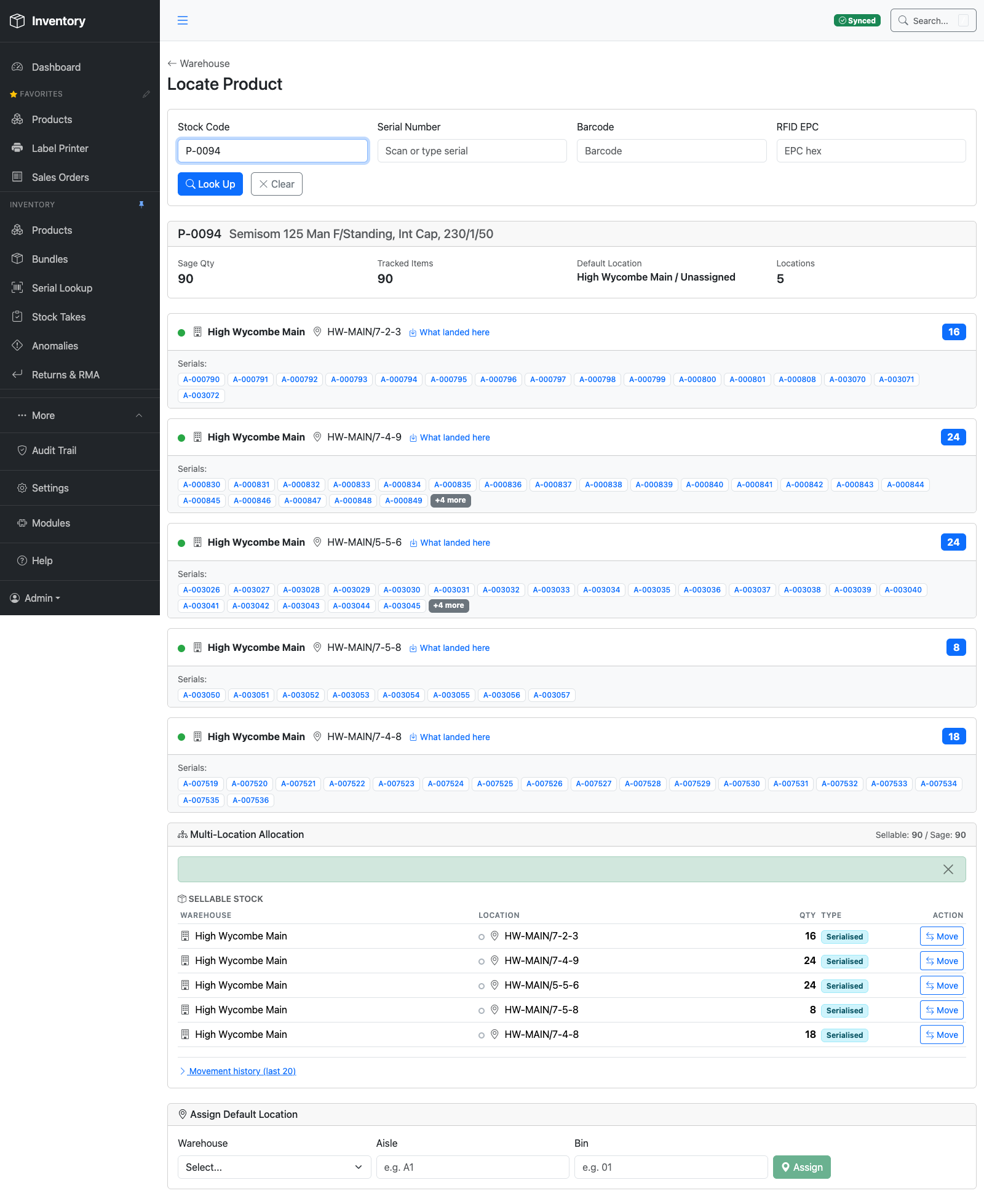
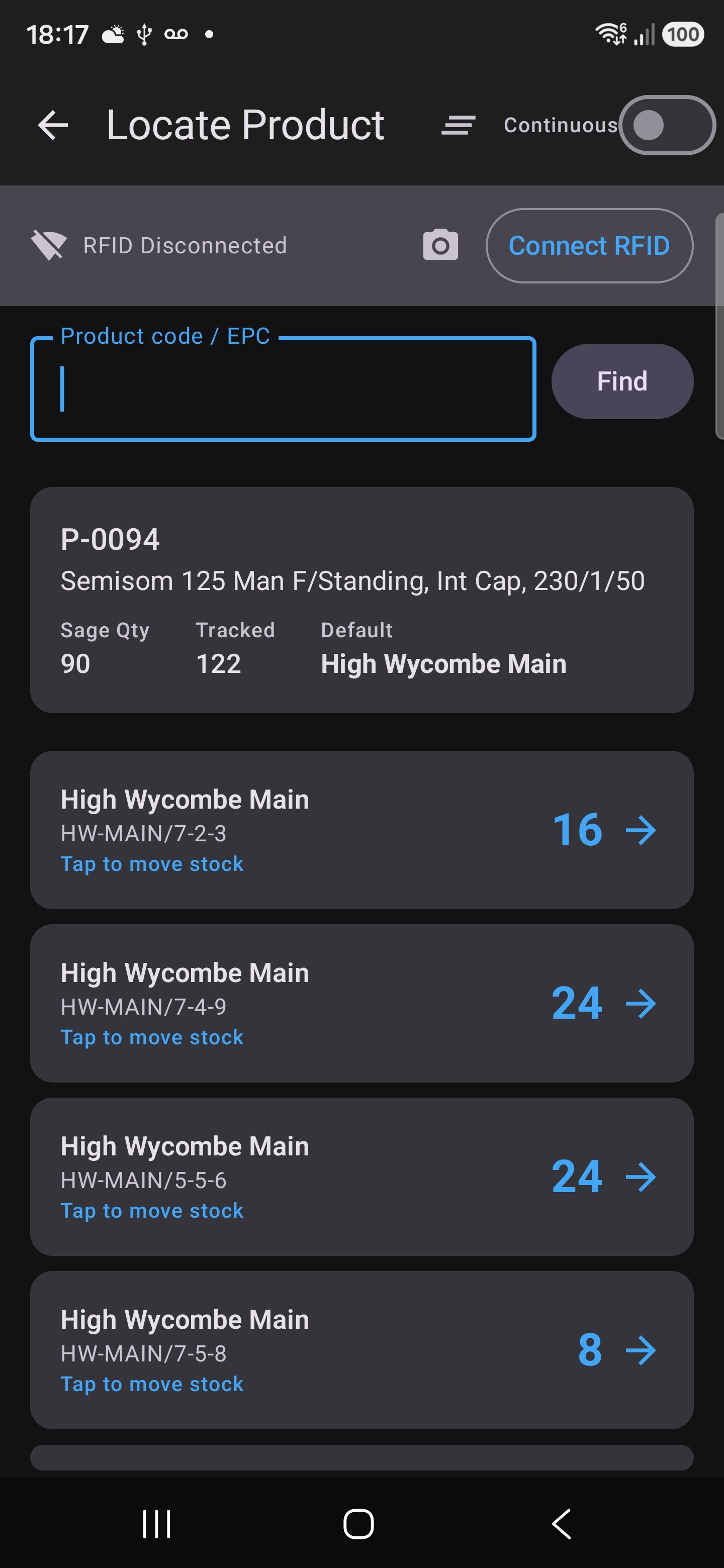
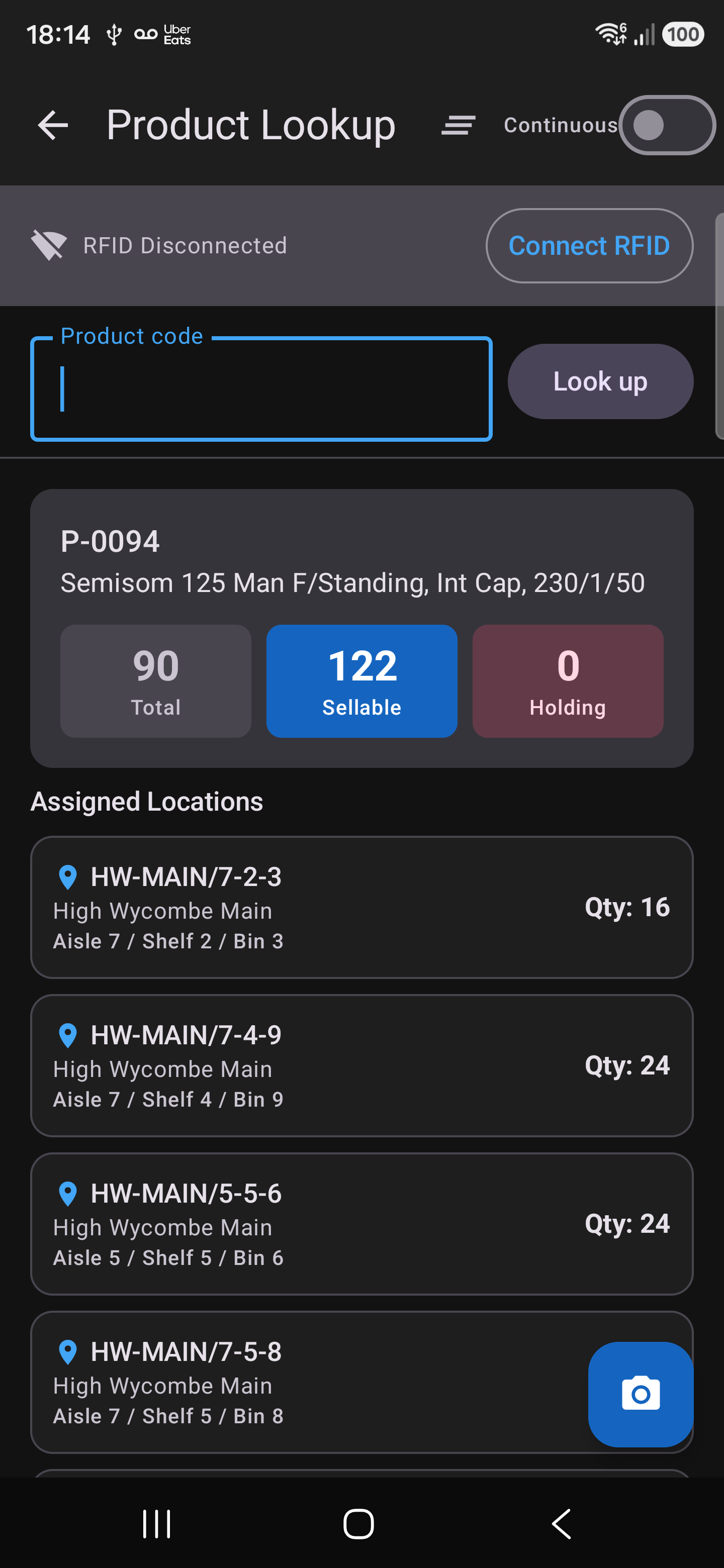
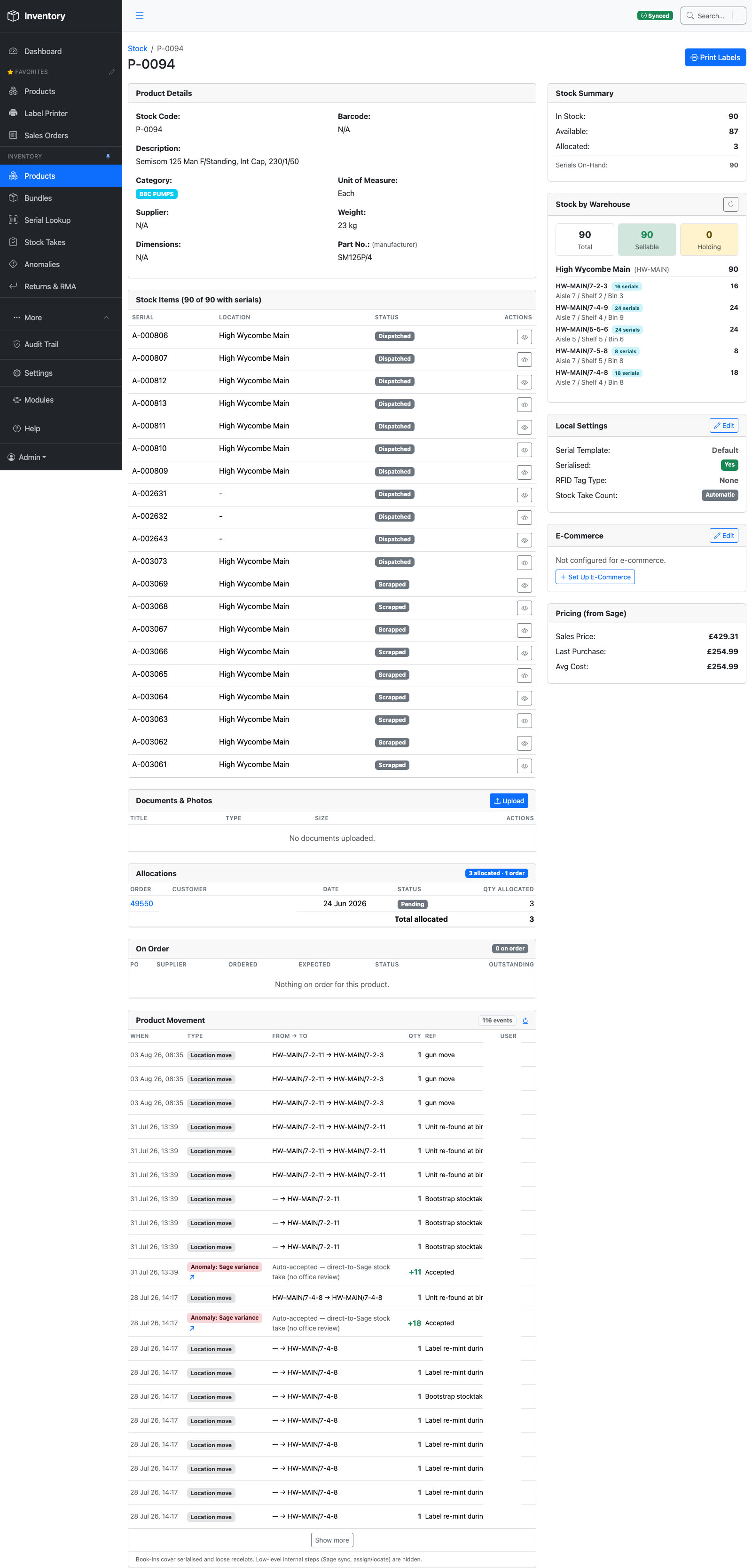
One product can sit in five different bins across a warehouse at once. QP Inventory shows all of them in a single lookup — by product code, serial, barcode or RFID tag — with the exact serials held at each location.
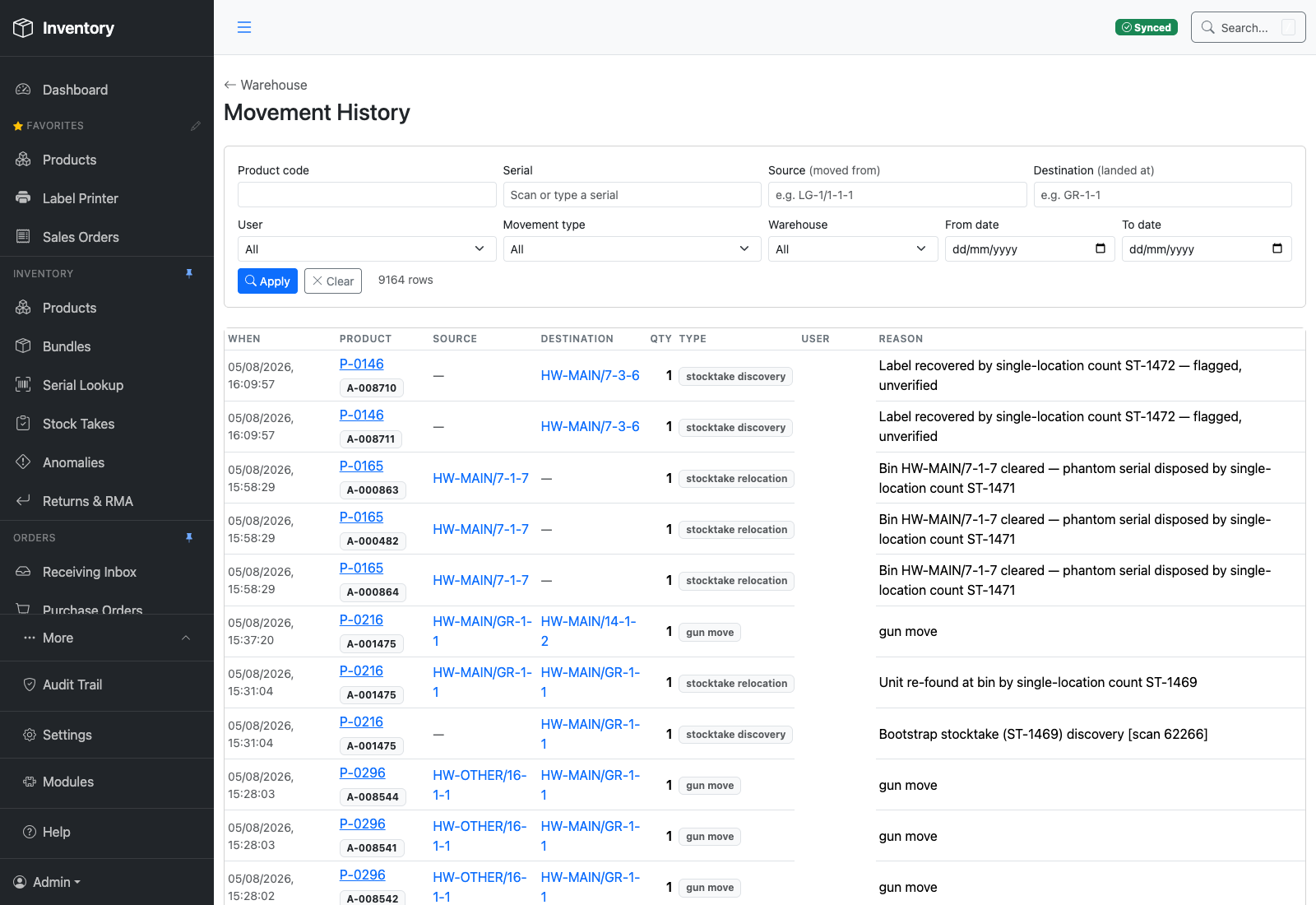
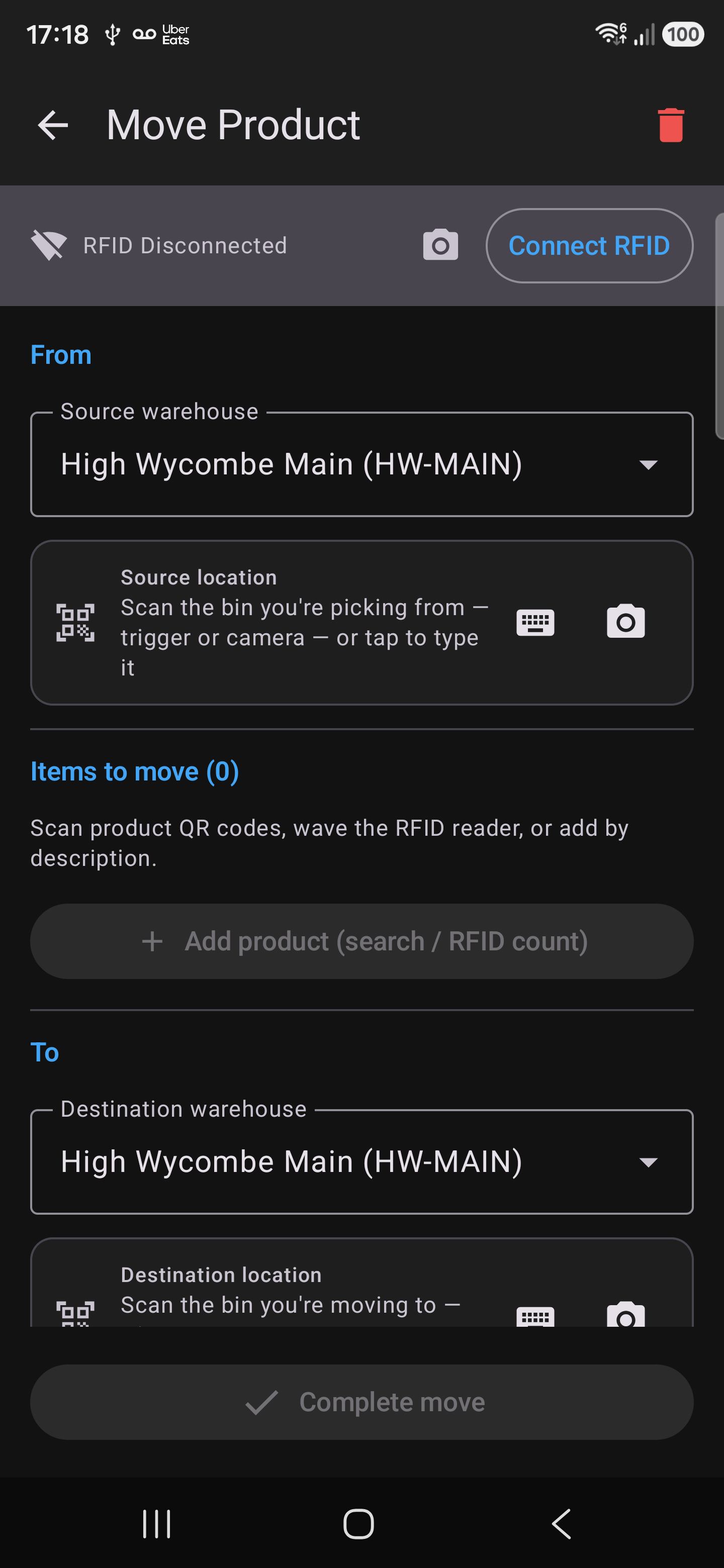
Every scan writes an audit row: what moved, which bin it came from, which bin it landed in, when, and who did it — including the moves nobody meant to make.
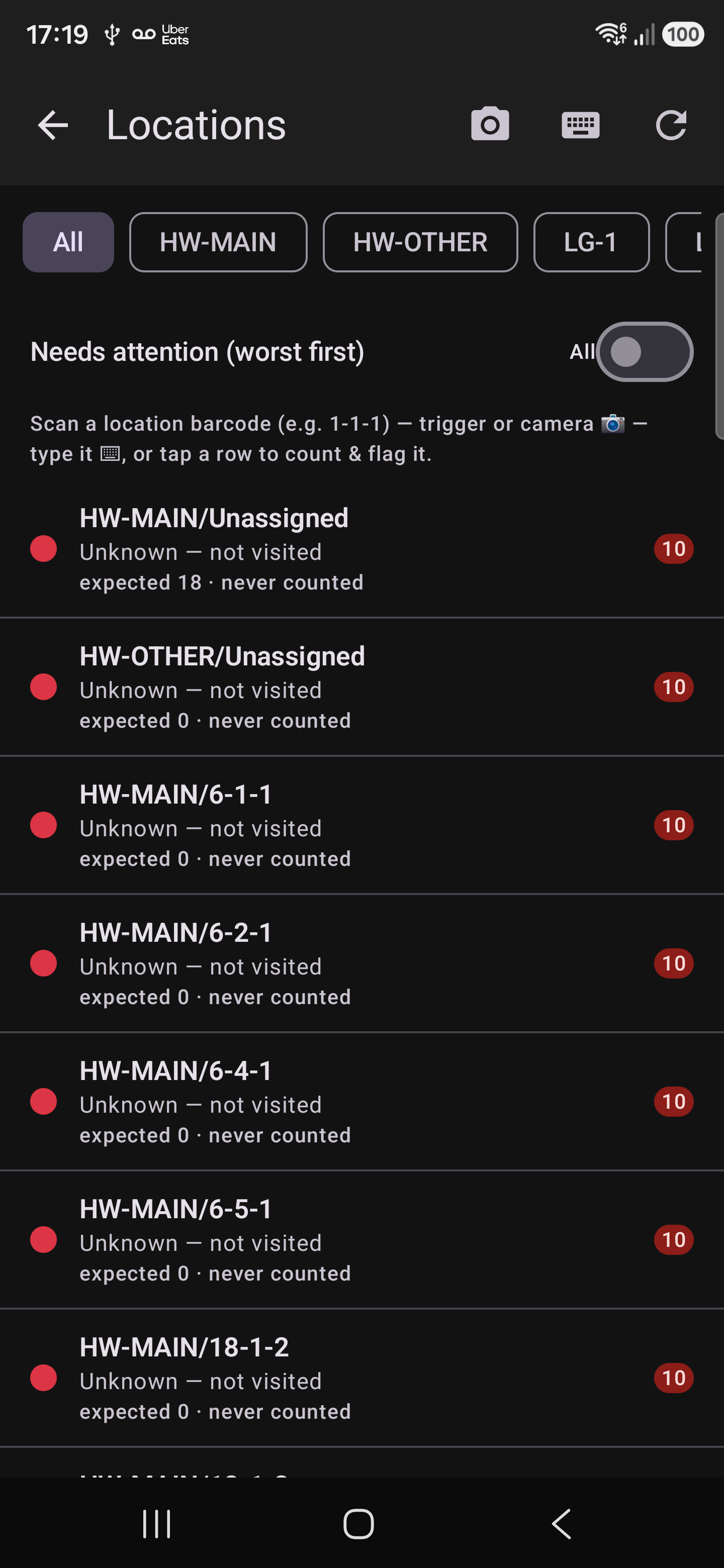
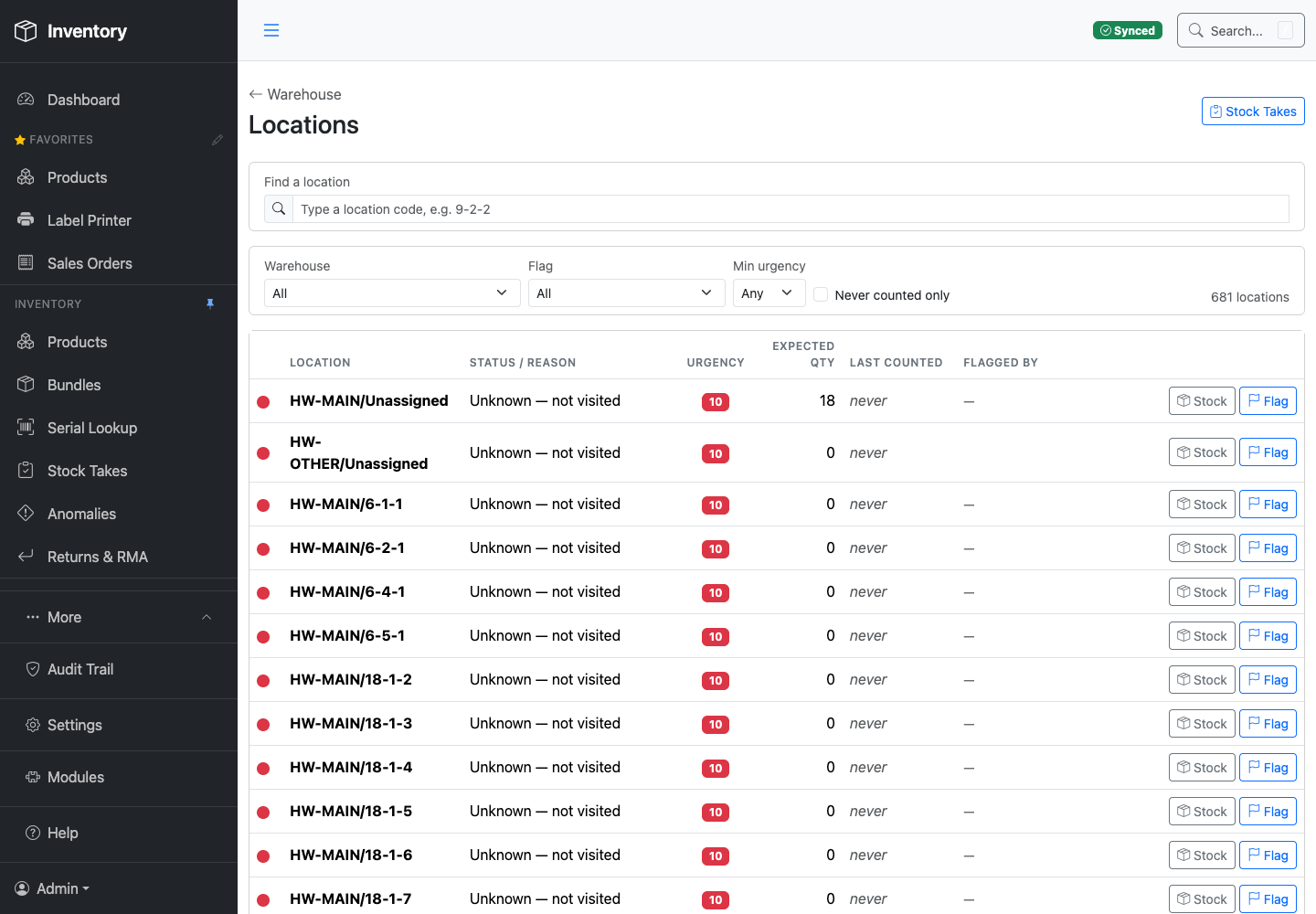
Every bin carries a status: confirmed by a physical scan, known empty, or not yet visited. “We haven't checked” is never quietly treated the same as “it's fine.”
Zebra builds the reader, the printer and the encoder. What it leaves to people like us is the part that knows your warehouse — the app that turns a tag read into “that box is on shelf 7-2-3, it arrived in March, and it's going out on Thursday.”
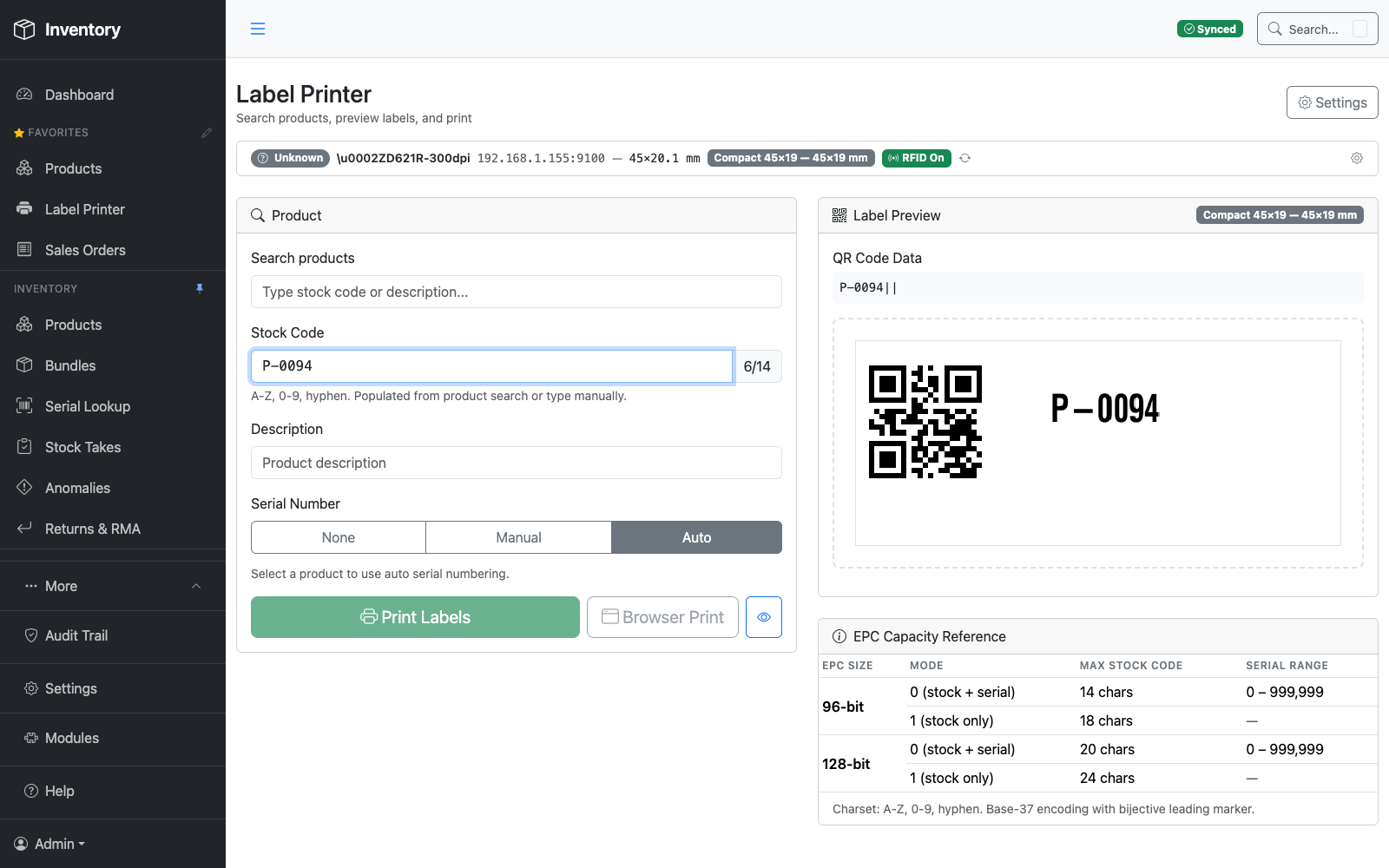
This is that part. Every label carries a barcode, a QR code and an encoded RFID tag at once, so the same box can be picked up by whichever reader is in someone's hand — a full RFID sled or just a phone camera.
Encodes a unique RFID tag into every label as it prints, alongside a QR code and barcode — one label, three ways to read it.
RFID reader built into the scanner — no separate sled — reads a shelf of tags at a time.
Higher-power reader for longer-range sweeps across a full bay in one pass.
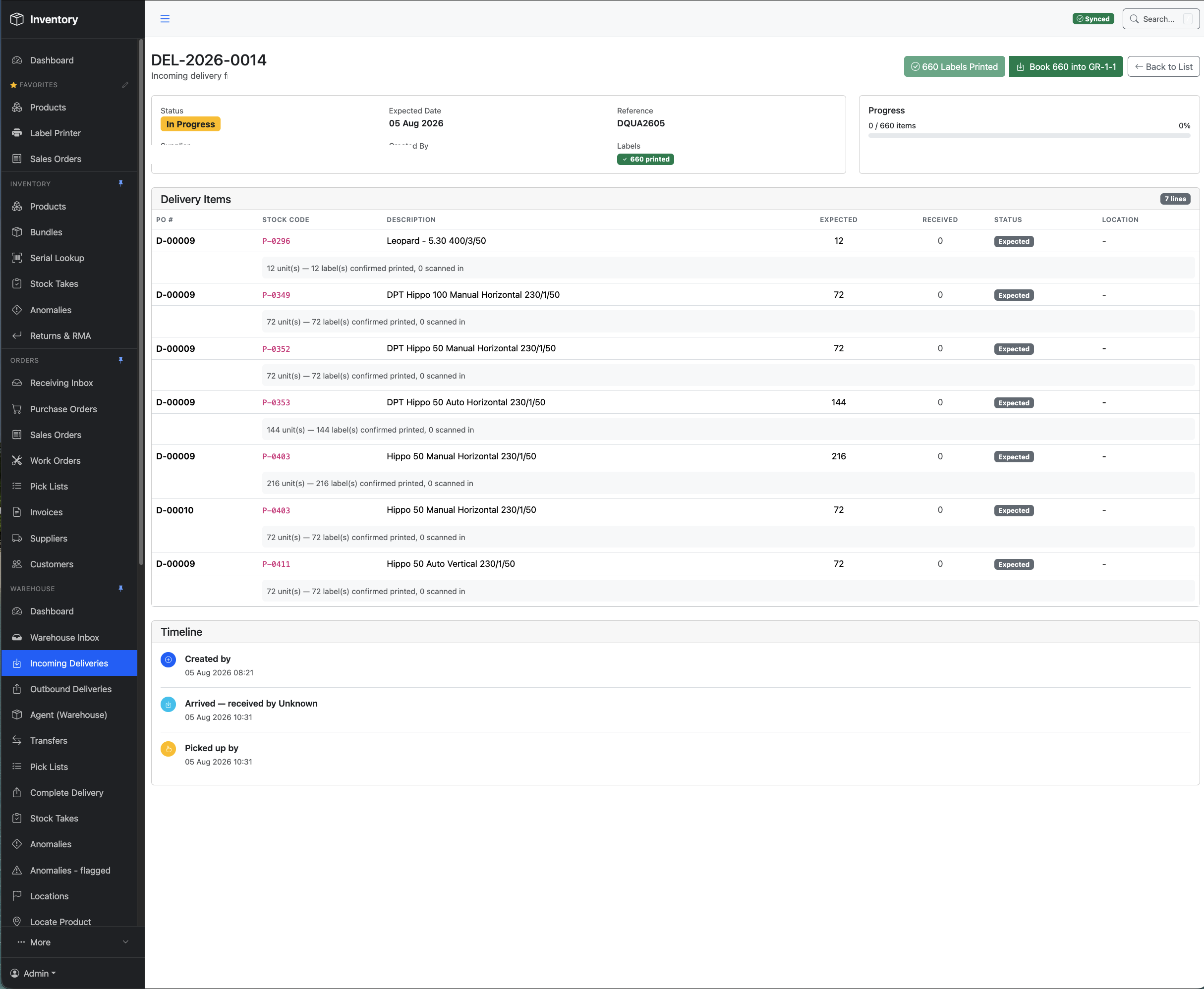
Send a supplier a print file and the stock arrives already labelled and encoded — so it books in on the first scan instead of being labelled by hand on your dock.
Every workflow — locating, moving, picking, counting — runs QR-only from a plain phone camera. Pair a Zebra sled over Bluetooth and that same phone gains full UHF RFID; unpair it and the phone still works. The handheld app is Android only today; there's no iOS build yet.
The name is minted at the door and never changes. Everything around it does — which shelf, whose hands, which order — and all of it is written down against that one name. This is a single unit, end to end.
Booked in against its purchase order, with supplier and date. If the maker stamped a serial on it, that's captured. If not, one is minted.
A label prints carrying a barcode, a QR code and a UHF RFID tag — three ways to read the same box, none of them needing line of sight.
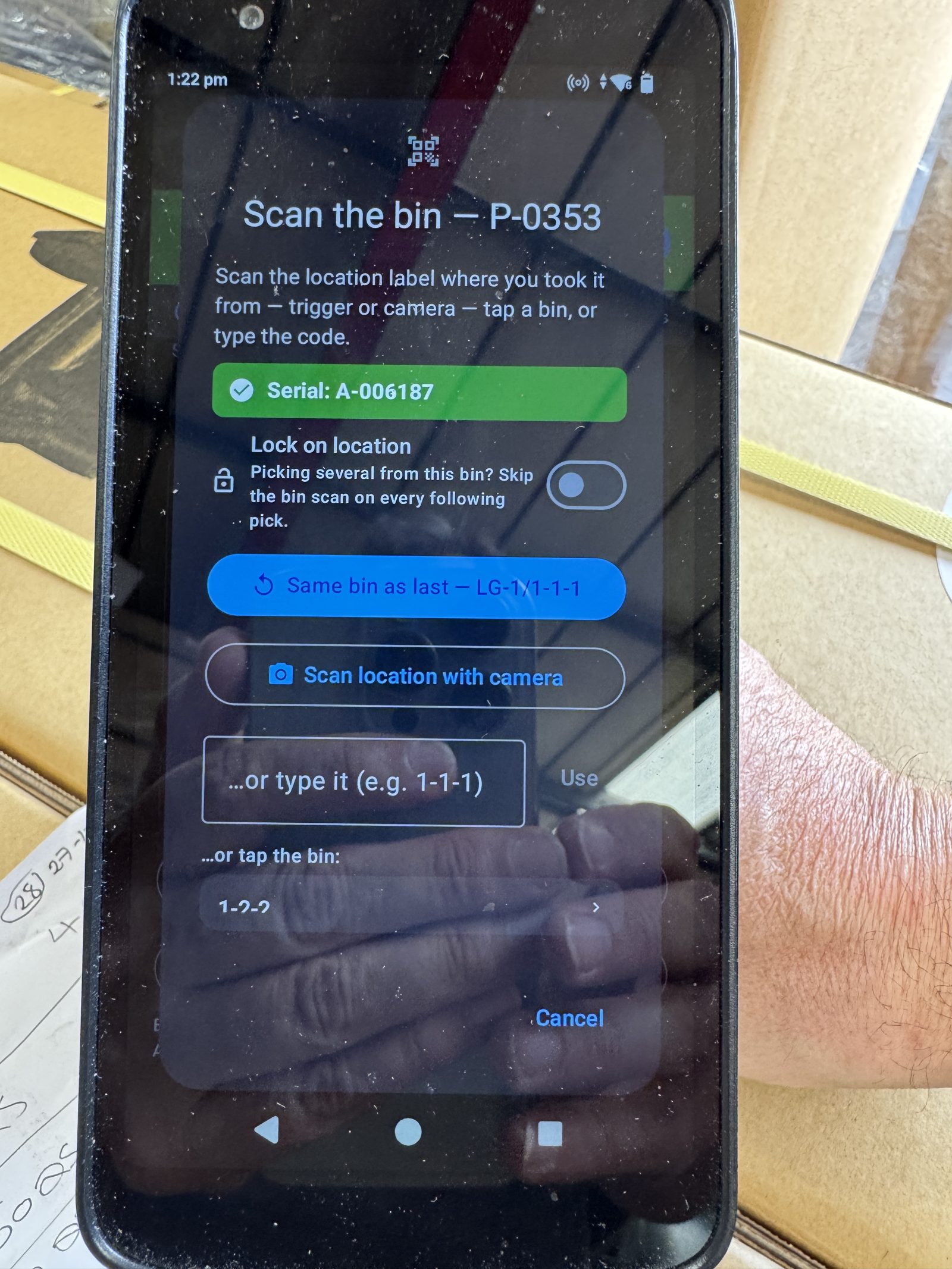
Scanned onto a bin. The box and the bay are now linked, and that bay stops being assumed and starts being confirmed.
Every relocation writes a row: out of which bin, into which bin, when, and by whom. However many times it happens, for as long as you hold it.
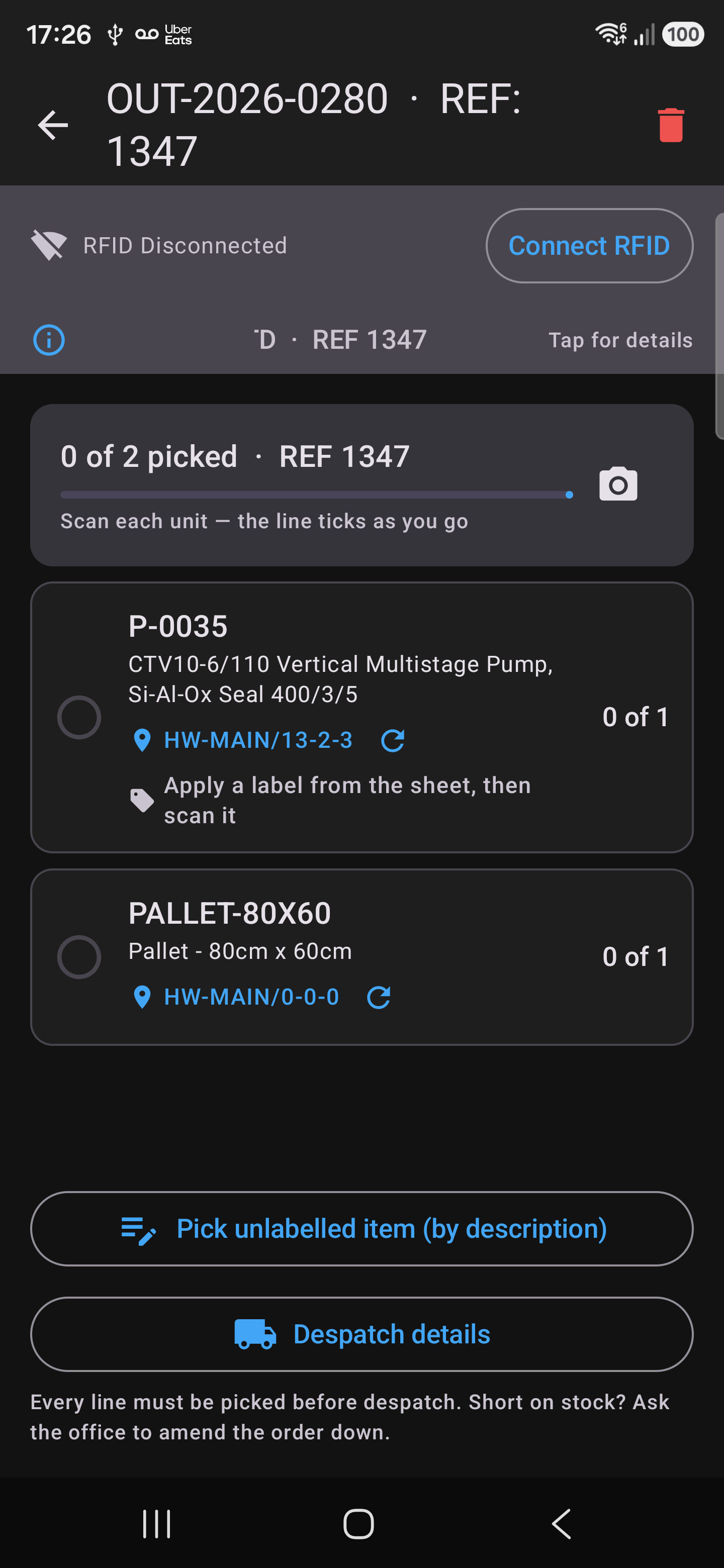
Scanned off its bin onto a specific order, with the bin recorded at the moment of the pick rather than guessed at afterwards.
Despatched and invoiced. That individual box is tied to that customer and that invoice — permanently, and long after anyone remembers it.
The bin is scanned, not guessed. Location here comes from a person physically reading the bin label and then the stock sitting in it. Not from overhead readers triangulating a room, not from antennas bolted to a forklift, and not from picking whichever shelf marker happened to answer loudest. There's no ceiling hardware to fund, it works the morning you put the first label up — and it produces the one thing the inferred approaches can't: a defensible record of who put what, where, and when. GS1's own vocabulary has a name for the pattern; it's what a location read from a mobile reader is supposed to look like.
Two serials, not one. Where a manufacturer does stamp its own serial on the box, that's captured as well — photographed off the maker's label at pick time and stored alongside ours. Ours makes every unit trackable whether the maker serialised it or not; theirs keeps you tied to warranty claims and the manufacturer's own records.
Every move ever made sits in one list — nine thousand of them in this warehouse and counting — and every column is a filter. The power isn't the log; it's that you can come at it from whichever end you happen to know.

One serial gives you that unit's whole life — every bin it has ever sat in, in order, with the reason it moved each time. Not the product's history. That box's.
Filter by the bin something left and you get everything that has ever walked away from it — the answer to “it was definitely here last week.”
The same question from the other side. Stock that turned up in a bay nobody expected can be traced back to the bay it came out of.
Every row carries who did it and when. Filter to a person and an afternoon and you can walk back through exactly what happened — which is how a mistake gets found and undone rather than argued about.
Across every bin and every site at once, with the movement type — a gun move, a stock-take relocation, a despatch — on each row, so you can see the shape of how a line actually behaves.
Scope any of the above to one warehouse. Bay numbers repeat across sites, so the site is part of the answer, not a detail you're expected to remember.
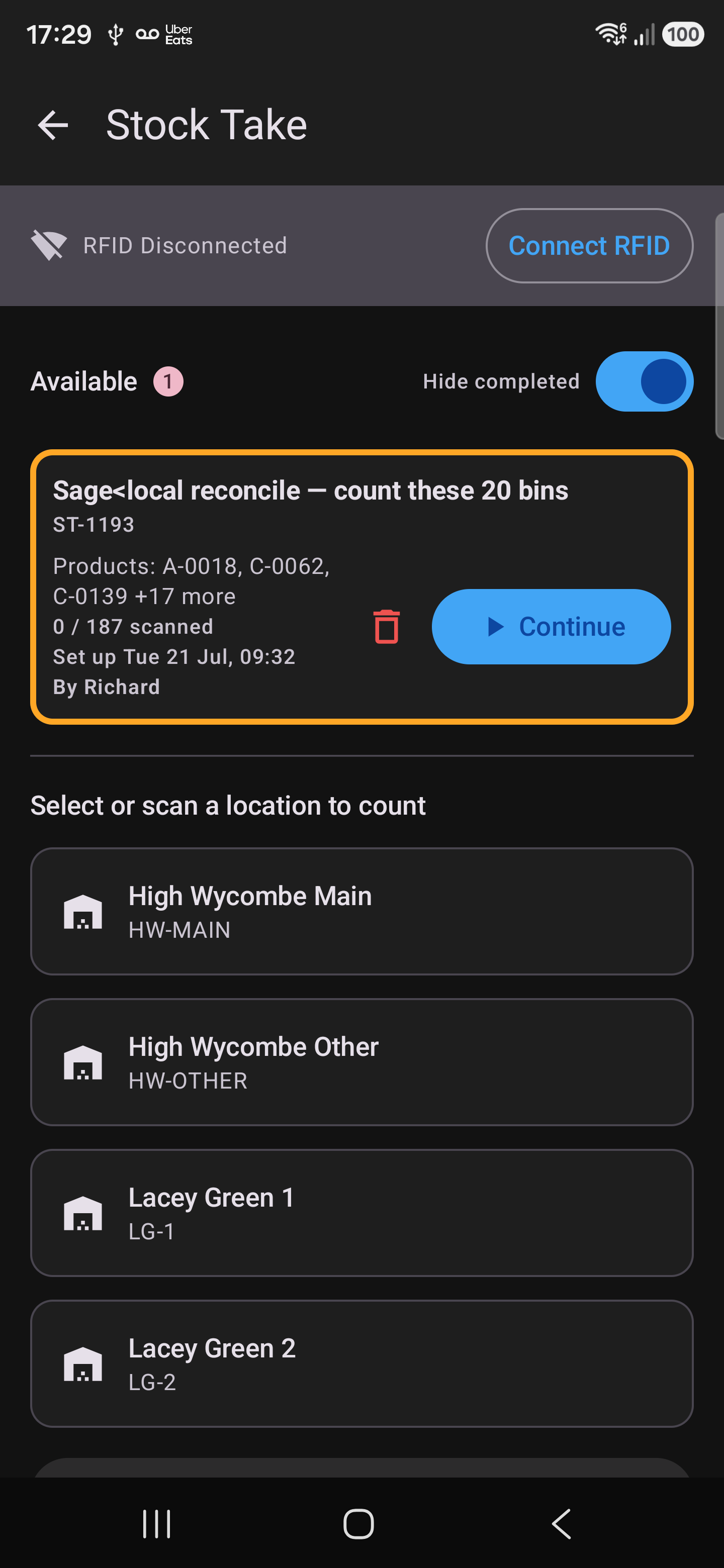
UHF RFID reads every tagged box in range at once — through cardboard, off a pallet, stacked three deep. Counting a bay means walking past it. The count that used to shut the warehouse for two days becomes the time it takes to cover the floor.
Open the bay, count what's in it, write it down, key it in afterwards. Slow enough that most warehouses do it once or twice a year — and wrong often enough that nobody fully trusts the answer when it comes.
Pull the trigger and the reader picks up every tagged box in range at once. Nothing opened, nothing unstacked, no line of sight. Walk the aisle and the bays count themselves as you pass.
Each bay opens on the gun pre-loaded with what should be there, so what's missing and what shouldn't be there both surface while you're still standing in front of it.
Variances surface for the office to review, and — where you want it — post straight through to your accounts system without anyone rekeying a figure.
Not scanning something is not the same as it being gone. Taking stock off a bay needs a deliberate declaration — never silence, and never a half-finished sweep.
Not everything wrong with a bay is a number. The rack is damaged, the labels have come off, someone has stacked the wrong product behind the right one. Flags let whoever is standing there mark the location itself as needing attention — and turn that into a queue somebody works through later.
Anyone with a gun in their hand can flag the bay they're standing at, without stopping what they were doing or finding someone in the office to tell.
Flagged bays collect into a worklist with a reason, an urgency and who raised it — sorted worst-first, so the round of remedial work is already planned.
Alongside the built-in states, you define the flags that match your problems — damaged racking, mislabelled, stock pillaged for parts — each with its own colour and urgency.
Book stock into a bay marked empty and the empty flag lifts on its own. A flag a person raised deliberately stays up until a person clears it.

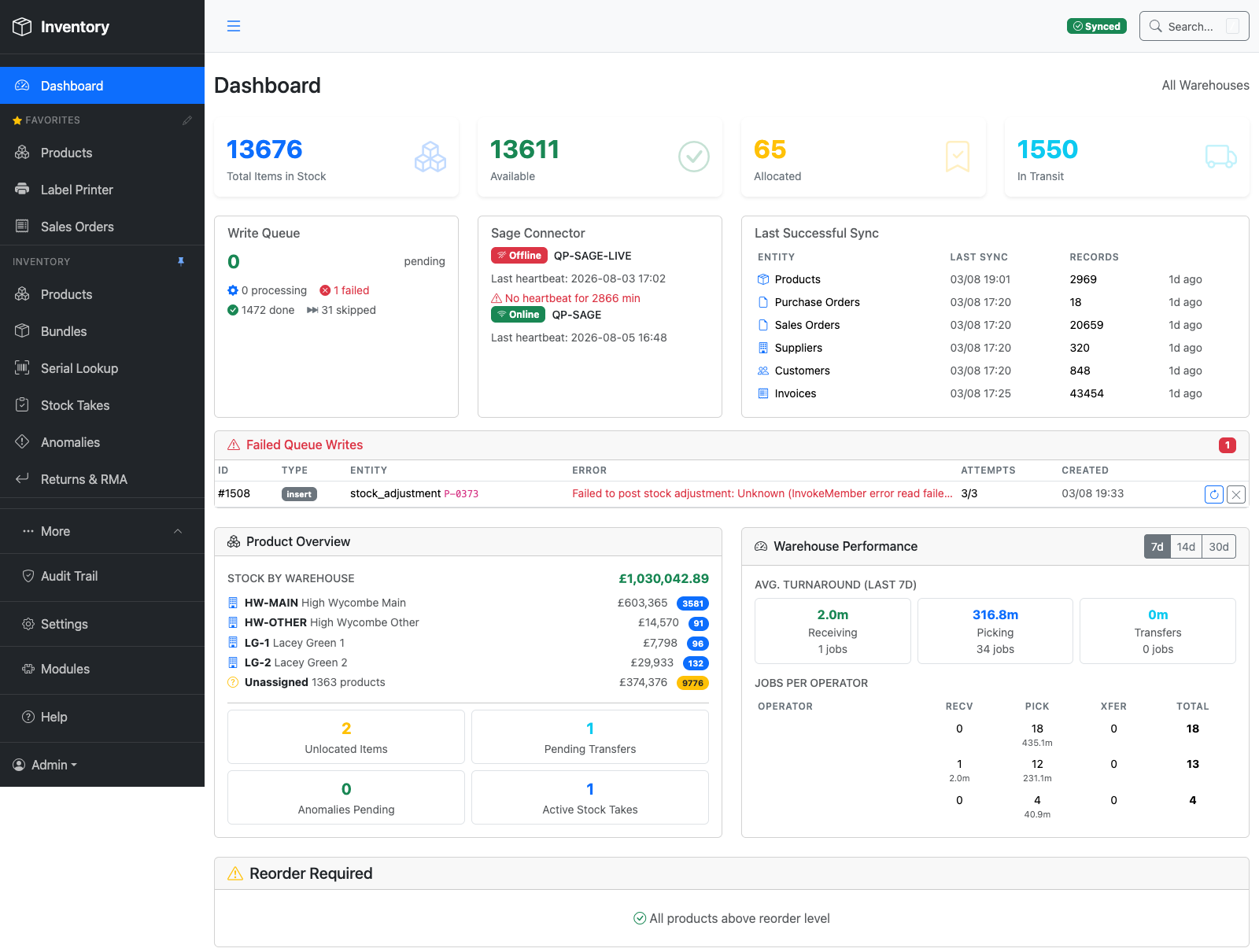
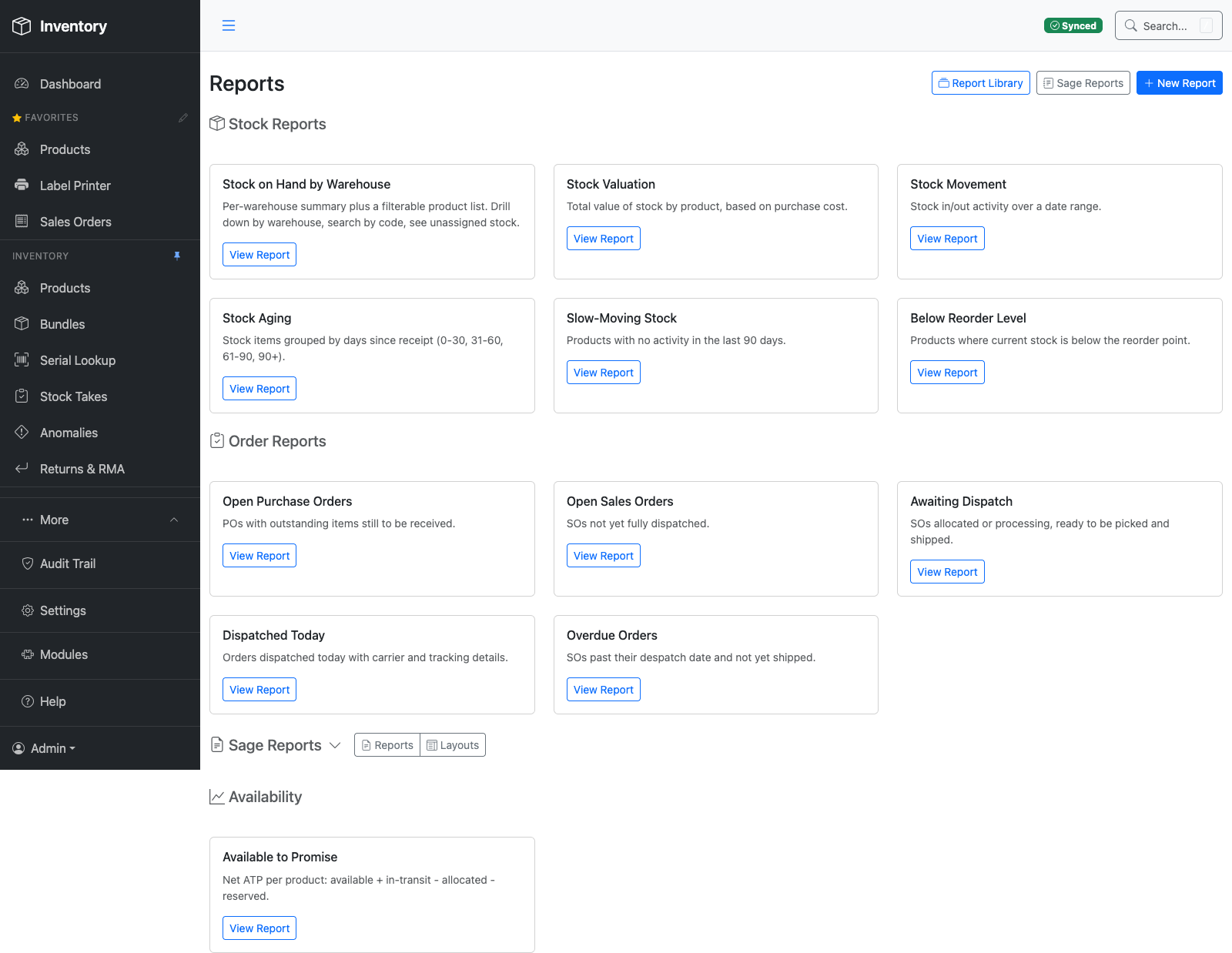
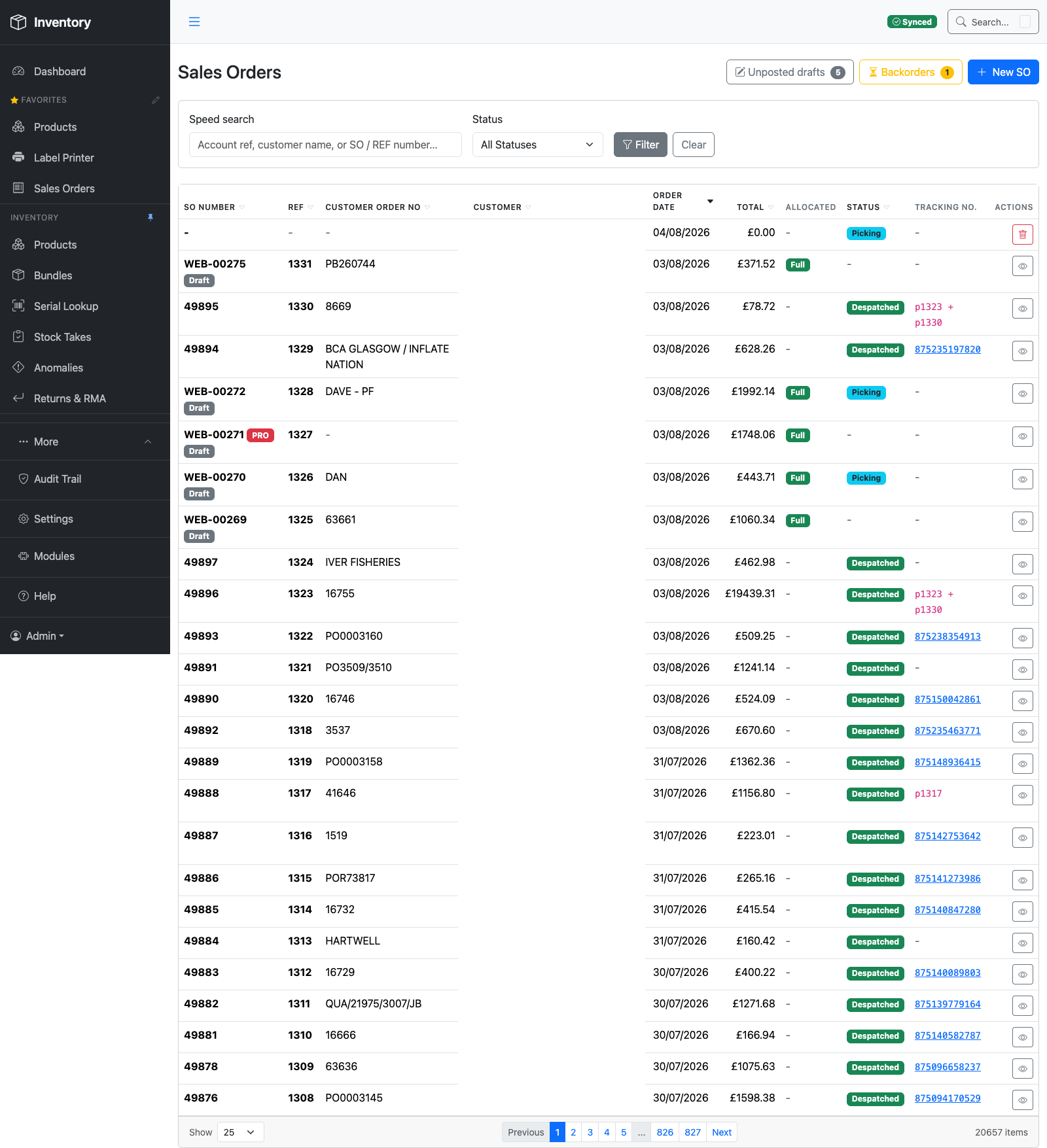
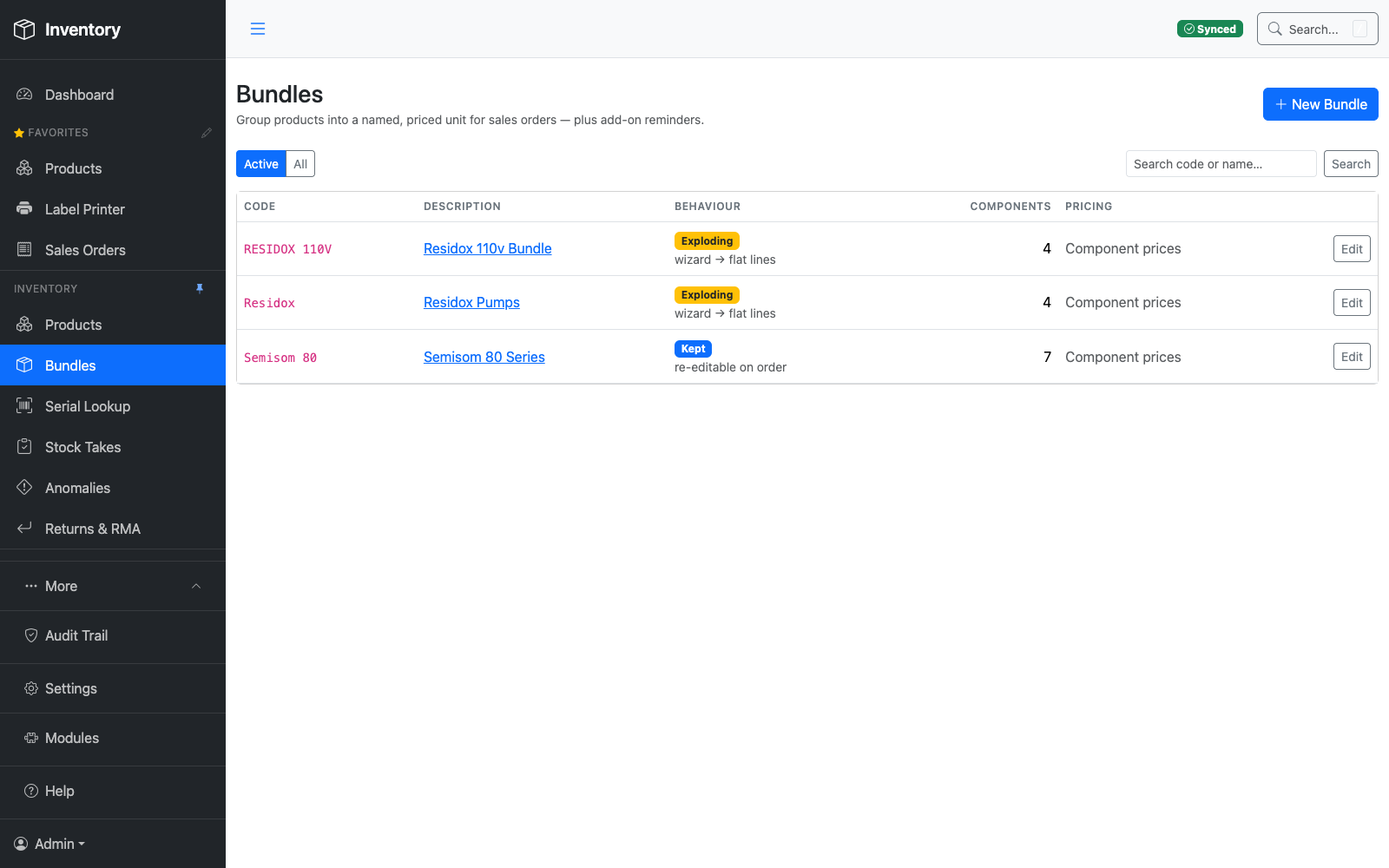
Every screenshot on this page comes from the same live system a real pump distributor runs their warehouse on today — not mockups, not a sandbox seeded for a sales call.
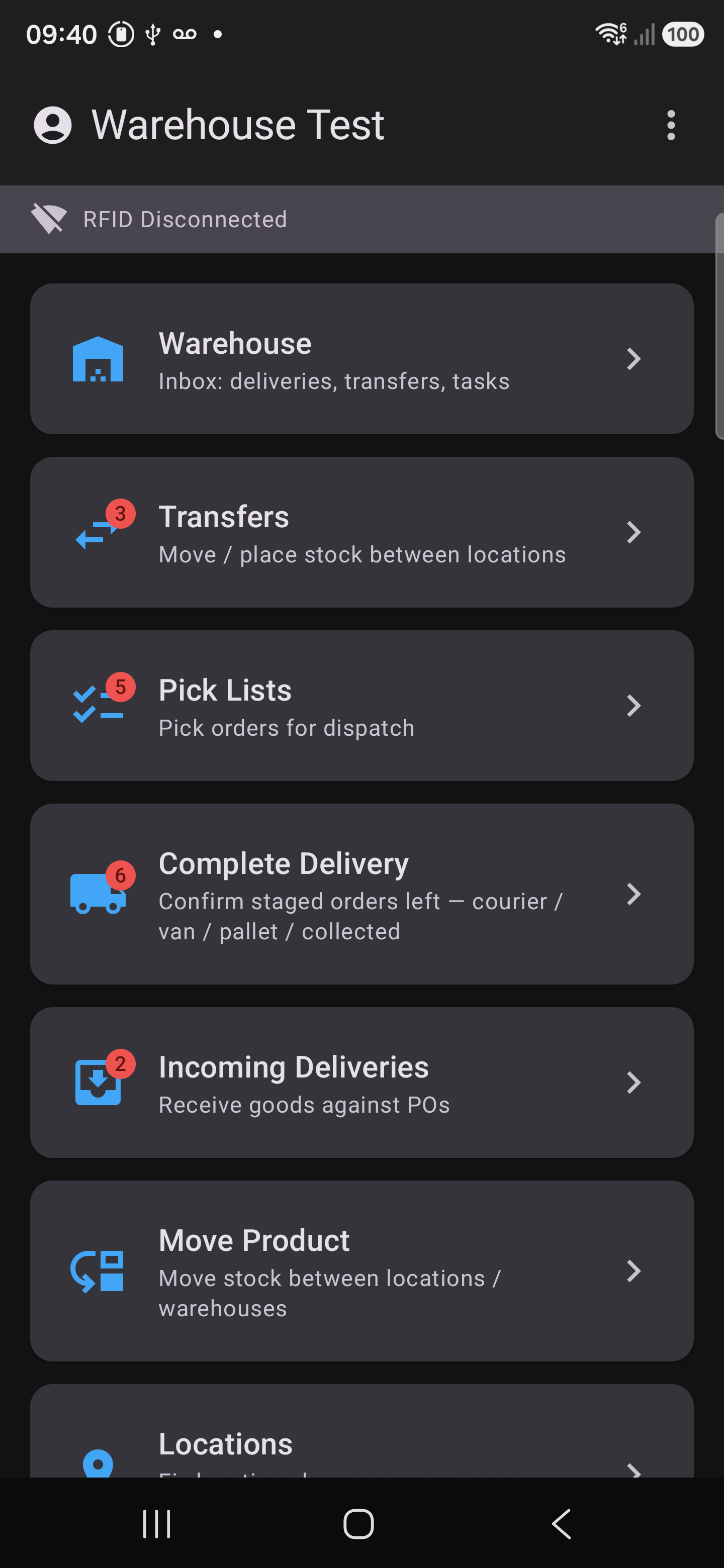
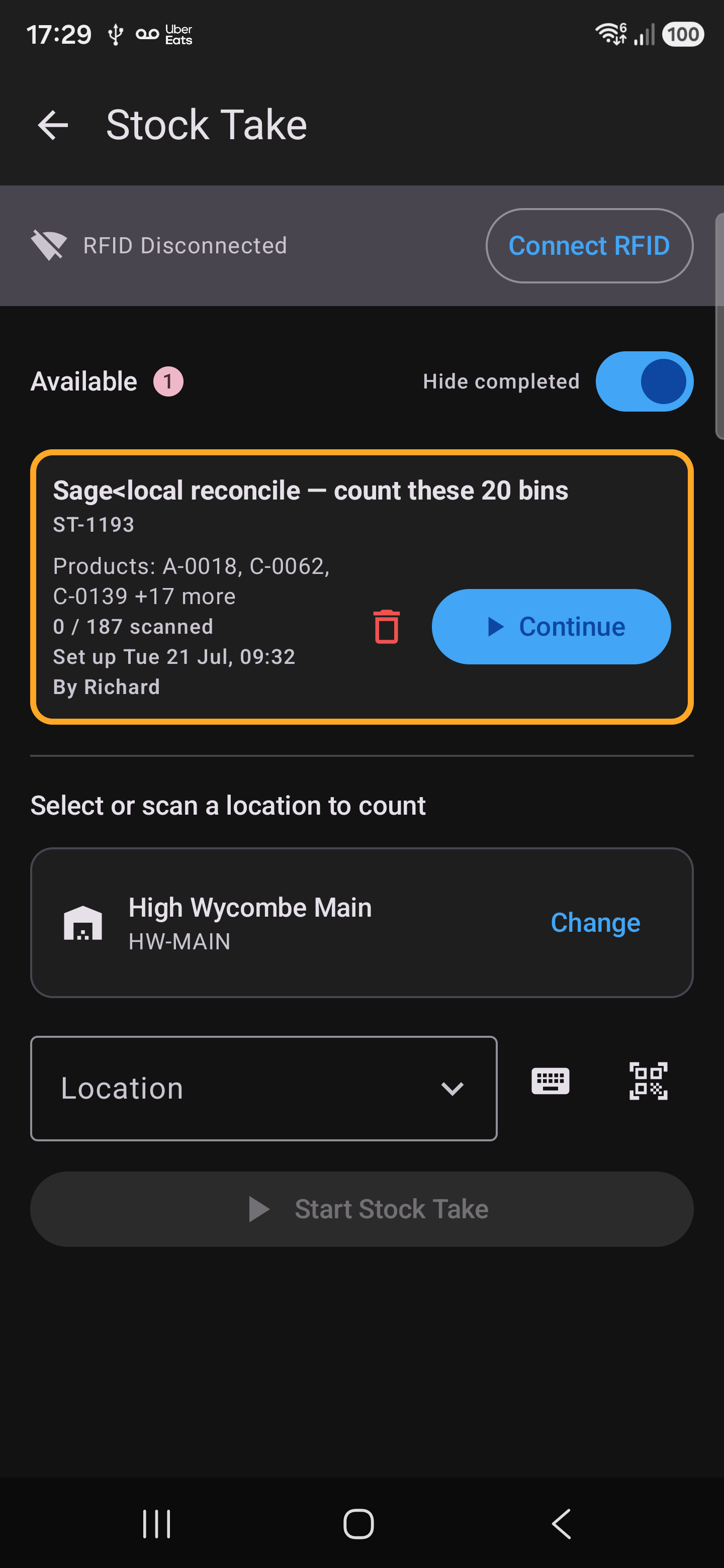
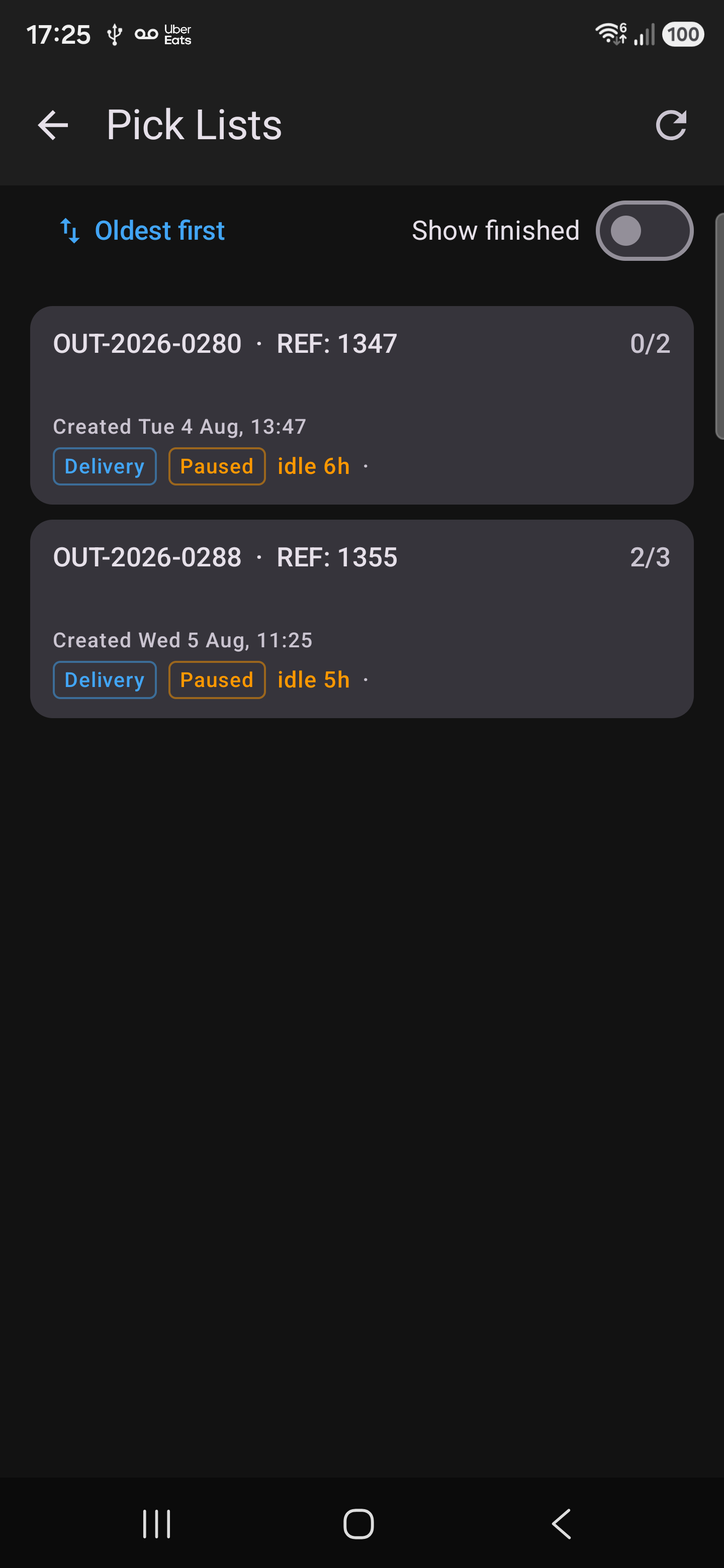
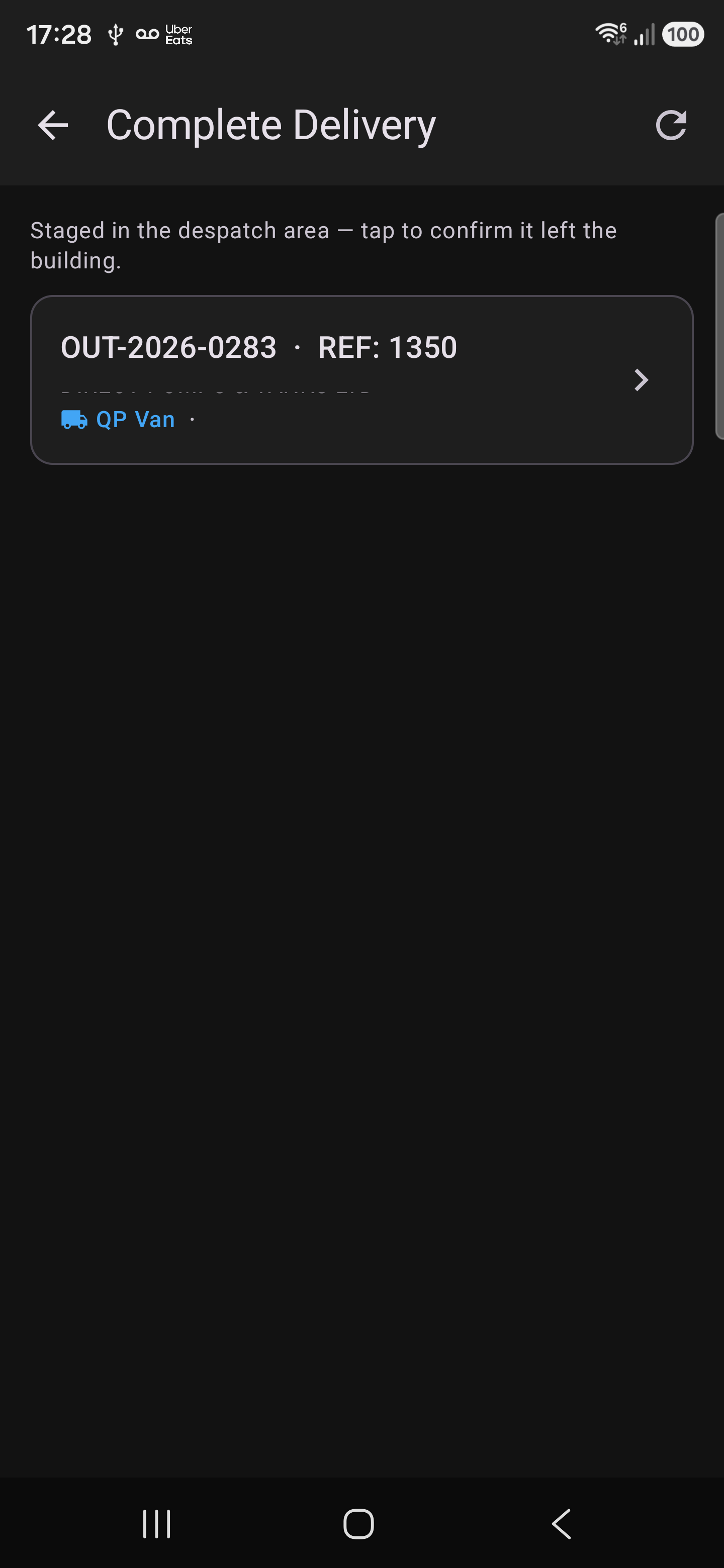
Every warehouse workflow runs natively on the handheld — nothing is a cut-down version of the web app. This is the screen a picker, a receiver or a counter actually has in their hand.


Two of the slowest, most error-prone moments in a warehouse are somebody copying a twelve-character serial off a carton by hand, and somebody trying to remember what an order looked like when it left. The camera on the gun does both jobs instead.
Hold the camera to the manufacturer's own label and it reads the serial — then confirms the same value across three consecutive frames before saving it. There's no button to press and no keyboard to get wrong.
If the label isn't one it knows, the screen dims and a guide box appears: line the serial up inside it and only what's inside is read, so the phone number and the field labels printed alongside can't creep in. Or tap any block of text on screen to take it as it stands. Or type it — the keyboard never goes away.
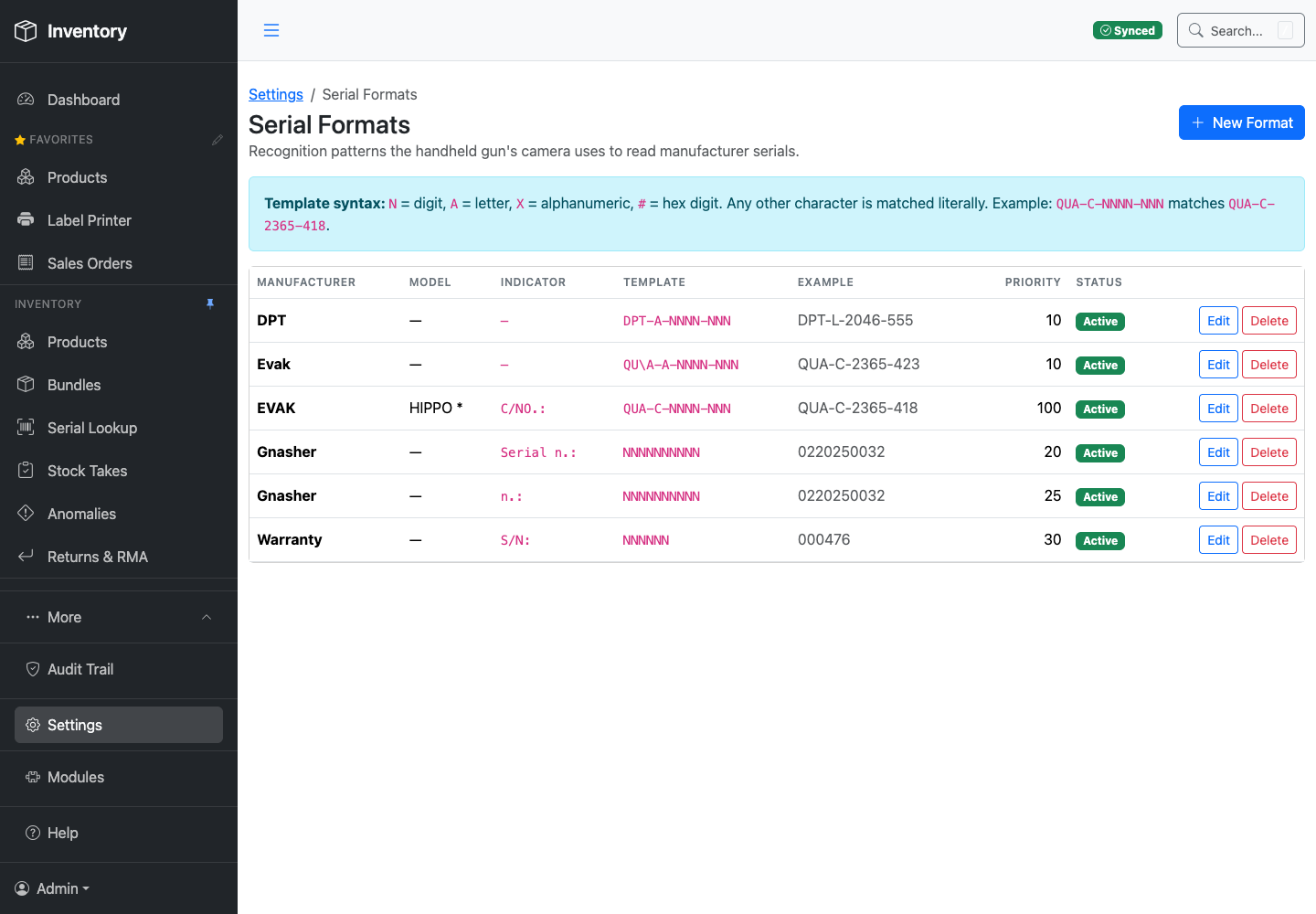
A new supplier's label is a row in a library, not a code change. Describe the label once — the text printed immediately before the serial, and the shape of the serial itself — and every gun picks it up on its next sync.
Whichever brand name the camera can see is tried first, then the rest in priority order, and the first fit wins. A strict pattern can sit in front of a looser fallback, so a supplier whose label prints badly still gets read.
At despatch the picker can attach photos of the packed order before it goes. They land in the office's gallery against that sales order — what was in the box, and what condition it was in, at the moment it left the building.
When a customer rings three weeks later to say something arrived damaged or short, that is the difference between a discussion and an argument.
Nothing serialised leaves unrecorded. A serialised unit can't be despatched until its manufacturer serial has actually been captured — the line sits amber until it is. The control isn't a policy somebody has to remember; it's the button staying shut.

A UHF reader at full power reads everything — the bay in front of you, the rack behind it, and the trolley going past. That's the problem with RFID, not the feature. So the beam, and what counts as a read, are both under the operator's control.
Transmit power is a slider, from 10.0 up to 30.0 dBm, with Near / Mid / Full presets you can change without stopping the count.
Wind it down and the reader sees one shelf. Wind it up and it takes a whole aisle in a pass. Same gun, same tags — you decide how far the question travels.
Scan the QR of the product you care about and the count arms to it. From then on the reader still hears everything, but only that product is counted.
Tags for anything else in range — the next bay, a pallet passing behind you — are discarded rather than quietly joining the total. Arm several products at once and it counts each one separately.
Reads are ranked by signal strength and badged Strong, Good or Fair, so when you're hunting a single box the top of the list is the one nearest the gun.
Walk toward it and the order re-sorts. It's how you go from "it's somewhere in this aisle" to having it in your hand.
“Could you encode the location into the tag?” On a large enough inlay, yes — and our encoder already writes the bigger 128-bit format when a tag offers it. But it's the wrong place to keep it, and on the labels running through the printer today there is nowhere to put it at all: a UCODE 9 carries a 96-bit EPC and no user memory whatsoever. Room for identity, and nothing else.
The deeper reason is that a tag storing its own location is right only until somebody moves the box by hand — after which it states the wrong shelf with complete confidence, and nothing on it admits that it's stale. Aerospace proved this on tags a thousand times larger: the data went half-right, half-wrong, with no way to tell which. So the tag carries identity, permanently, and the system carries location. Scan the serial and it tells you which bin it went into, when, and who put it there — and everywhere it has been since. Nothing to re-encode, and nothing to go quietly out of date.
The UCODE 9 labels coming out of the ZD621R: a stock code and a serial, or a stock code of up to 18 characters on its own.
The encoder writes the bigger format too — a 20-character stock code alongside a serial, or 24 on its own. Change the label and the software already knows what to do with it.
Every tag ships with a factory-unique ID that can't be rewritten. Where inlays carry one, we count on that instead — so two boxes can never be mistaken for each other, whatever is written in the EPC.
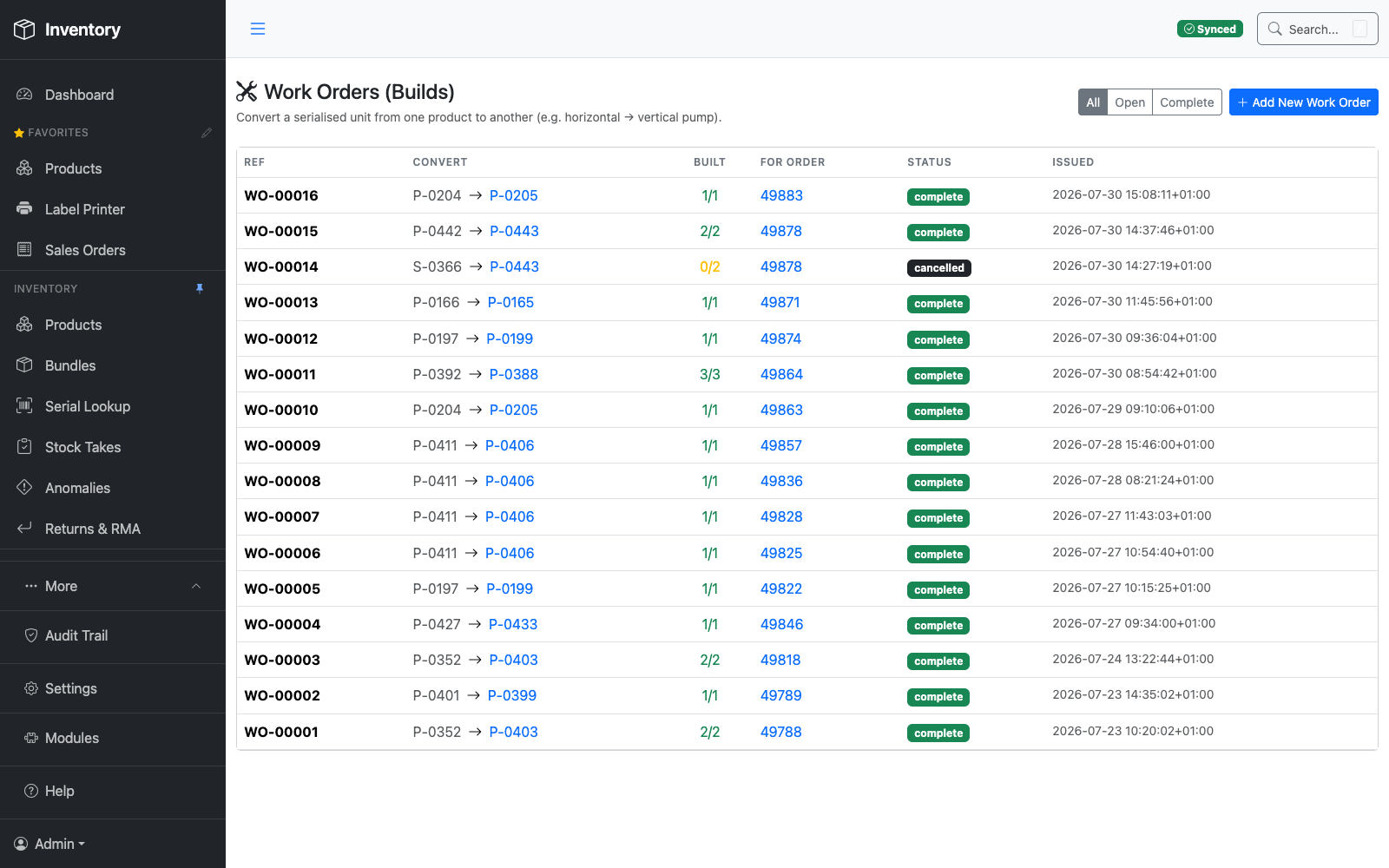
The warehouse floor is one part of a full inventory and sales platform — live KPIs, purchasing, sales orders, reporting and product builds all run in the same system, synced to Sage 50 as it happens.


A report answers the question somebody thought of in advance. This answers the one you've just had. Ask in plain English — or say it out loud — and it goes and looks through your live data, then tells you what it found and how it worked it out. Ask it how to do something instead, and it teaches you.
It assembles the answer from live data each time, so the reply fits what you actually asked rather than making you pick the nearest canned report and squint at it.
Follow-ups work the way they do in conversation — “and the year before?”, “just the Wycombe site” — without starting again.
Speak the question and hear the answer read back. Useful when both hands are full and you're halfway up a rack, and just as useful at a desk when you'd rather not type out a sentence.
The voice is configurable, and the whole thing works silently as text if you'd rather it didn't talk in an open office.
The assistant reads the same 141-article help system your staff do, so “how do I book in a delivery?” returns a walkthrough of this system — the real screen, the real button — rather than something generic.
And it handles the half that matters most: “I've just done that wrong — how do I undo it?”
The manual answers back. Most systems ship documentation nobody opens. Here the documentation is the thing people talk to — from any screen in the web app, in their own words, as many times as they like, without waiting for the one person who knows to come off holiday.
Ask where to print a label and it names the screen and the order to press things in. Ask what happens if you complete a delivery and it tells you what will change in Sage before you do it. It answers for your configuration, because the help describes the system as you actually have it set up — and the help is kept in step with what's shipped, so it can't quietly drift into describing a version nobody is running. Training stops being a day somebody sat through in March and becomes something available at half past three on a Tuesday, at the screen they've never seen before.
It cannot change anything — and that isn't a promise, it's an absence. Every tool the assistant has is a lookup: search products, get an order, read stock levels, search the help. There is no tool in it that writes. It can tell you a figure is wrong and explain exactly how to correct it, and then you go and correct it.
Bring your own key. The AI runs on your Anthropic account, under your key, with your spend and your data boundary — not resold to you per seat with a margin on top. Point it at a Claude subscription instead and it uses no API credits at all. The two run the same set of tools, so the answers don't change with the billing. Every question asked is logged, so you can see what the AI was asked and what it looked at.
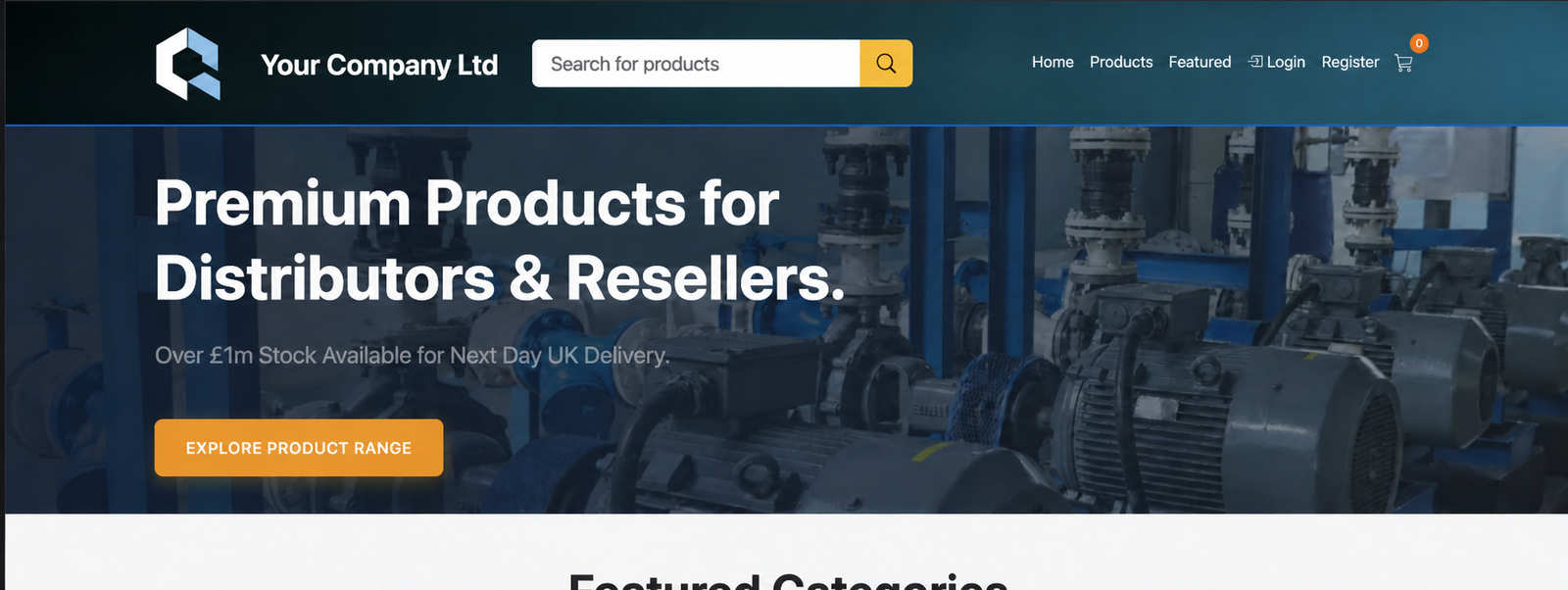
Customers get their own storefront — live stock, trade pricing and datasheets — reading from the exact same product and stock records the warehouse works from. Nothing to keep in sync by hand.

This is a full inventory and sales platform, not a single-purpose scanning app — everything below is shipped and in daily use, drawn straight from the in-app help system.
Your accounts system sits behind a connector — a separate service that talks to it and keeps everything in step over a live link. Sage 50 is the one that's built, proven and running in production. Pointing it at a different back office means writing a new connector, not rebuilding the warehouse.
The accounts integration is its own service speaking a defined interface — stock levels and orders in, adjustments and invoices out. Another ERP, or your own in-house system, is a connector against that same interface.
Warehouse, labels, deliveries, returns, reporting and the customer portal are each a module registered into the app. New capability bolts on alongside the rest instead of being threaded through it.
Couriers and delivery methods, warehouse and bin structure, bin-status flags, serial formats, label layouts — all editable from Settings by the people using them. No developer, no release.
A persistent connection keeps the warehouse floor, the office and the back office moving together. A scan on the gun shows on the web app immediately, not on the next batch run.
Expect to change it. Everything on this page was shaped around one distributor's actual way of working — their bays, their labels, their paperwork, their idea of what "picked" means. Yours will be different in ways neither of us can list up front. Fitting it to that is the work, and it's the normal way this gets deployed.
Happy to walk through a live warehouse, or run a screen-share against your own product data.